Spring
Spring Boot Architecture
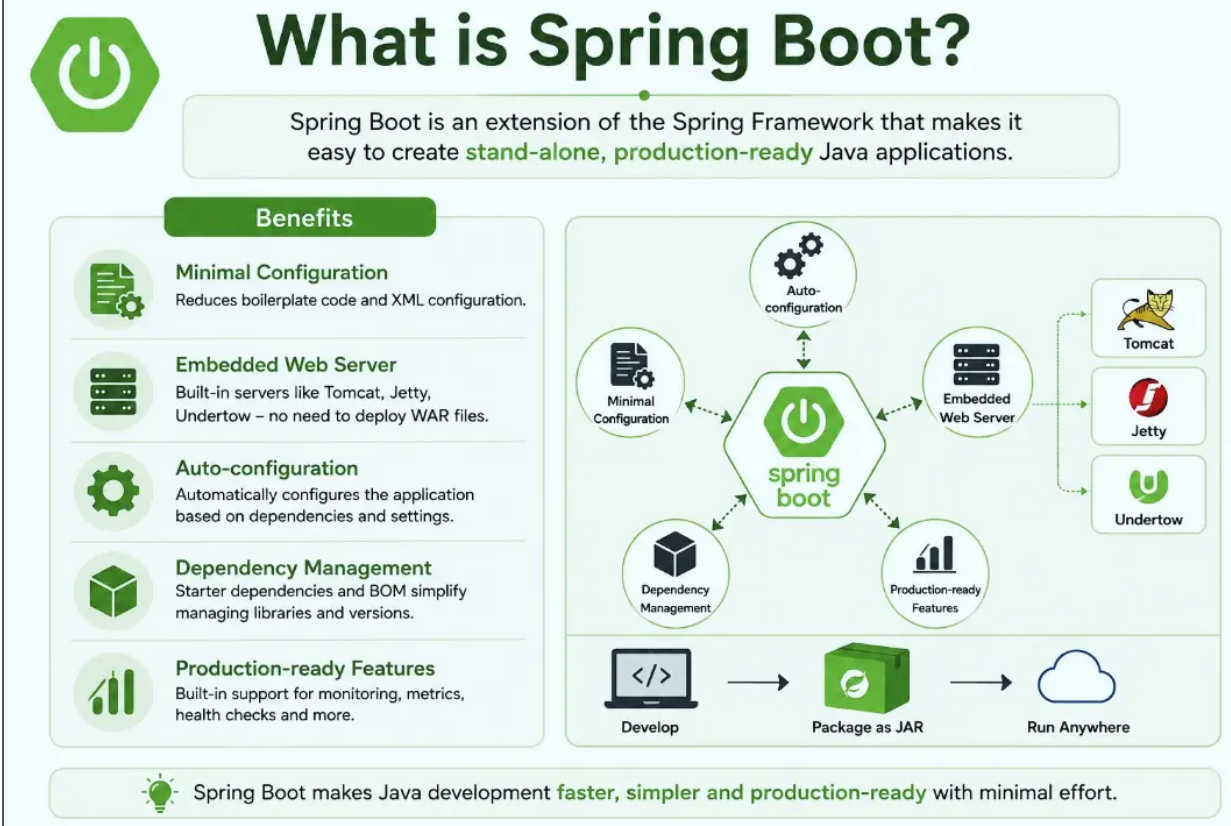
Spring Boot is a module of the Spring Framework. It is used to create stand-alone, production-grade Spring Based Applications with minimum efforts. It is developed on top of the core Spring Framework
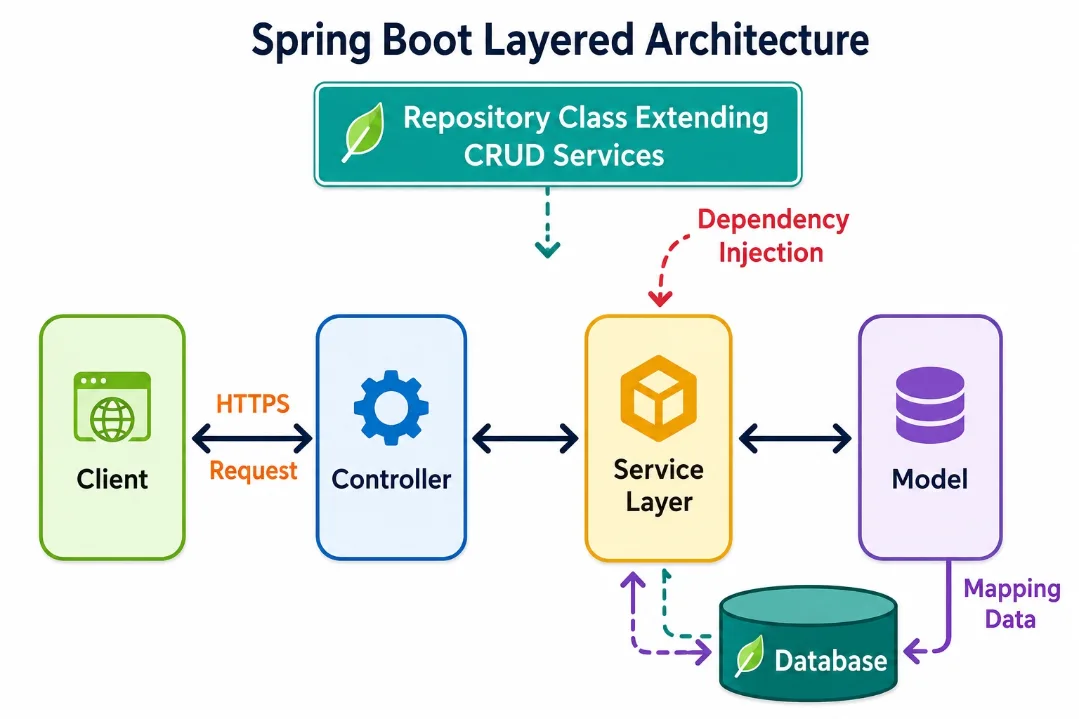
Spring Boot follows a layered architecture in which each layer communicates with the layer directly below or above (hierarchical structure) it.
Before understanding the Spring Boot Architecture, we must know the different layers and classes present in it. There are four layers in Spring Boot are as follows:
Presentation Layer Business Layer Persistence Layer Database Layer
Presentation Layer: The presentation layer handles the HTTP requests, translates the JSON parameter to object, and authenticates the request and transfer it to the business layer. In short, it consists of views i.e., frontend part.
Business Layer: The business layer handles all the business logic. It consists of service classes and uses services provided by data access layers. It also performs authorization and validation.
Persistence Layer: The persistence layer contains all the storage logic and translates business objects from and to database rows.
Database Layer: In the database layer, CRUD (create, retrieve, update, delete) operations are performed.
Spring Boot Flow Architecture Now we have validator classes, view classes, and utility classes. Spring Boot uses all the modules of Spring-like Spring MVC, Spring Data, etc. The architecture of Spring Boot is the same as the architecture of Spring MVC, except one thing: there is no need for DAO and DAOImpl classes in Spring boot. Creates a data access layer and performs CRUD operation. The client makes the HTTP requests (PUT or GET). The request goes to the controller, and the controller maps that request and handles it. After that, it calls the service logic if required. In the service layer, all the business logic performs. It performs the logic on the data that is mapped to JPA with model classes. A JSP page is returned to the user if no error occurred..
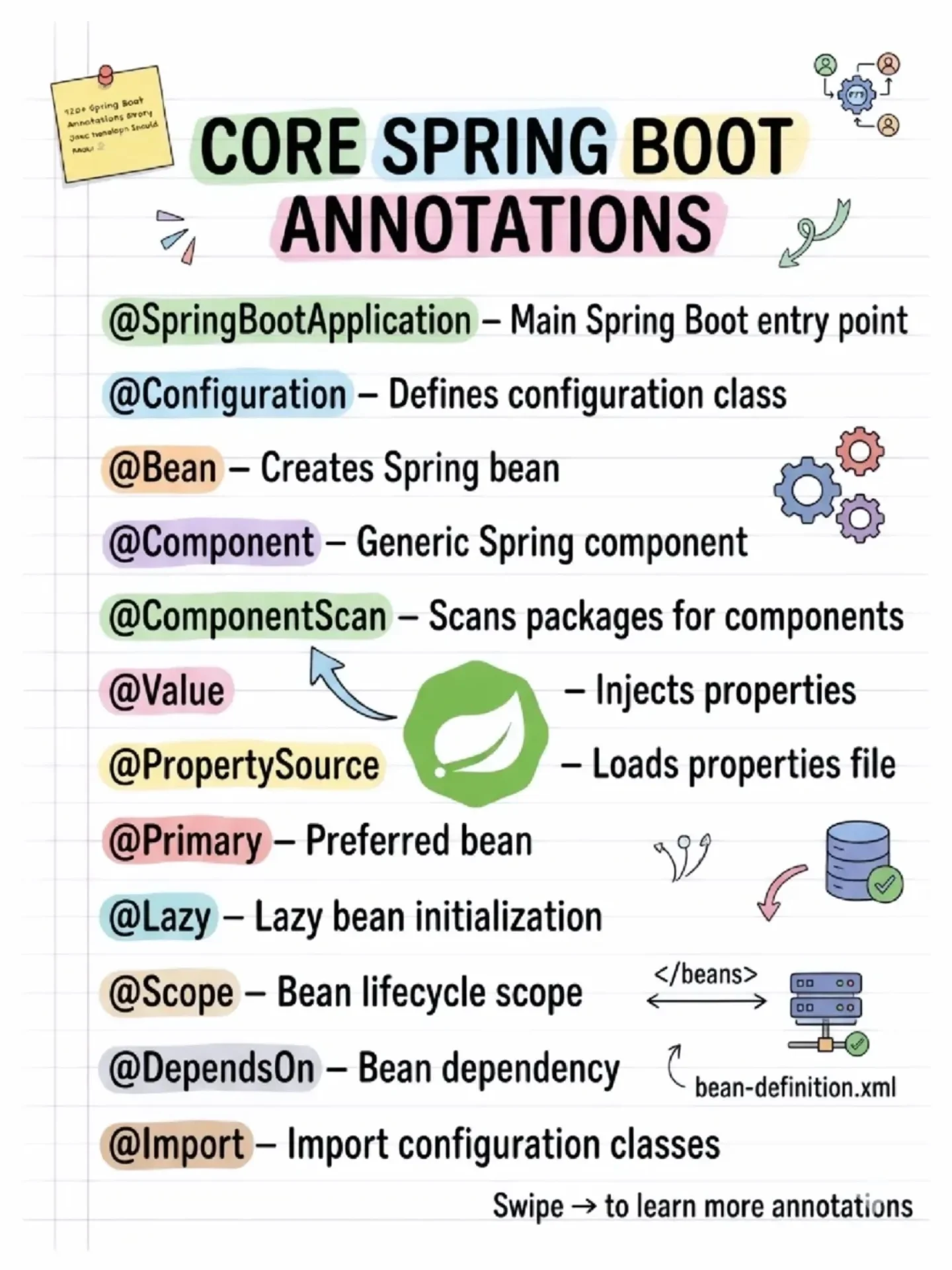
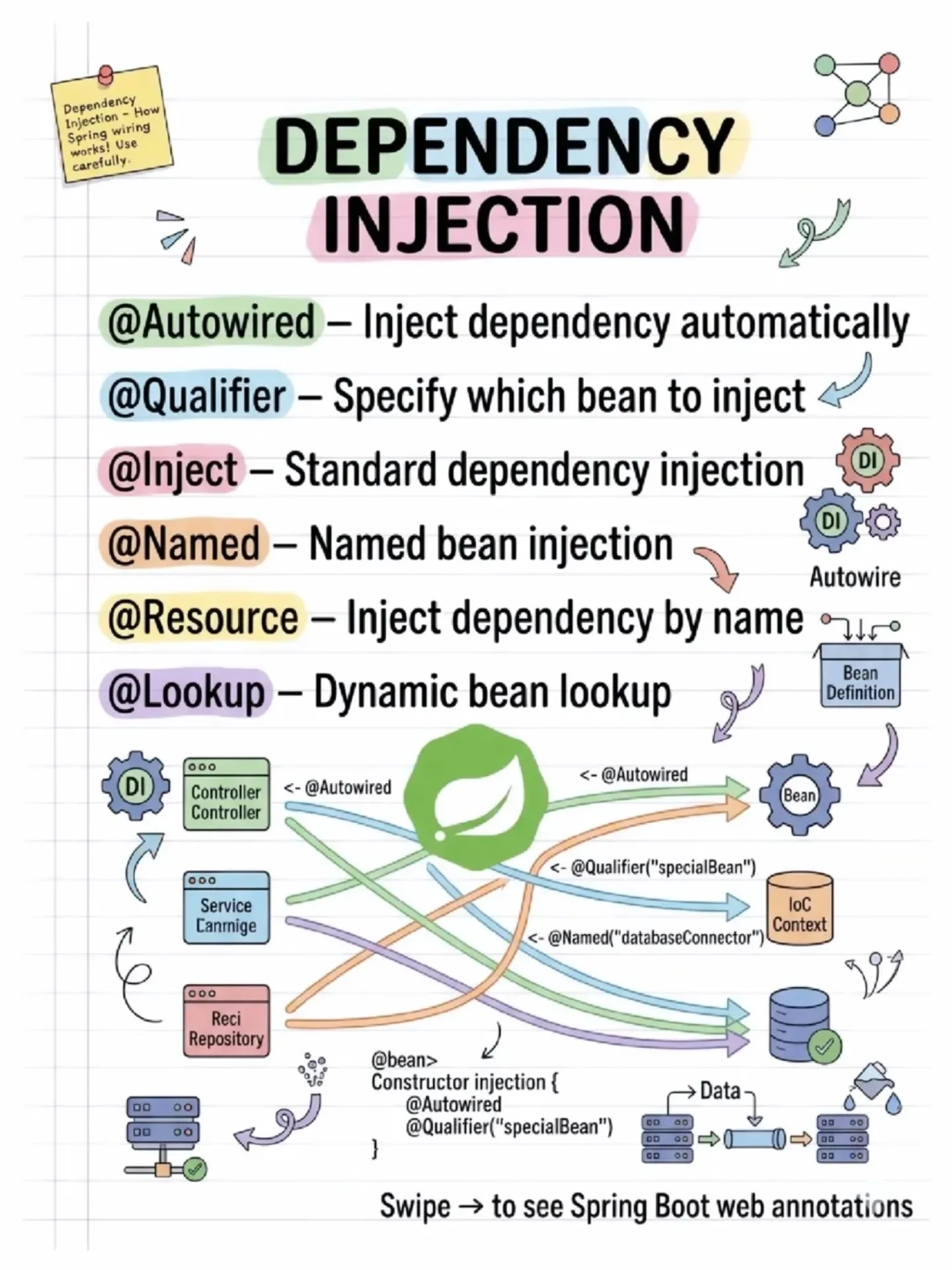
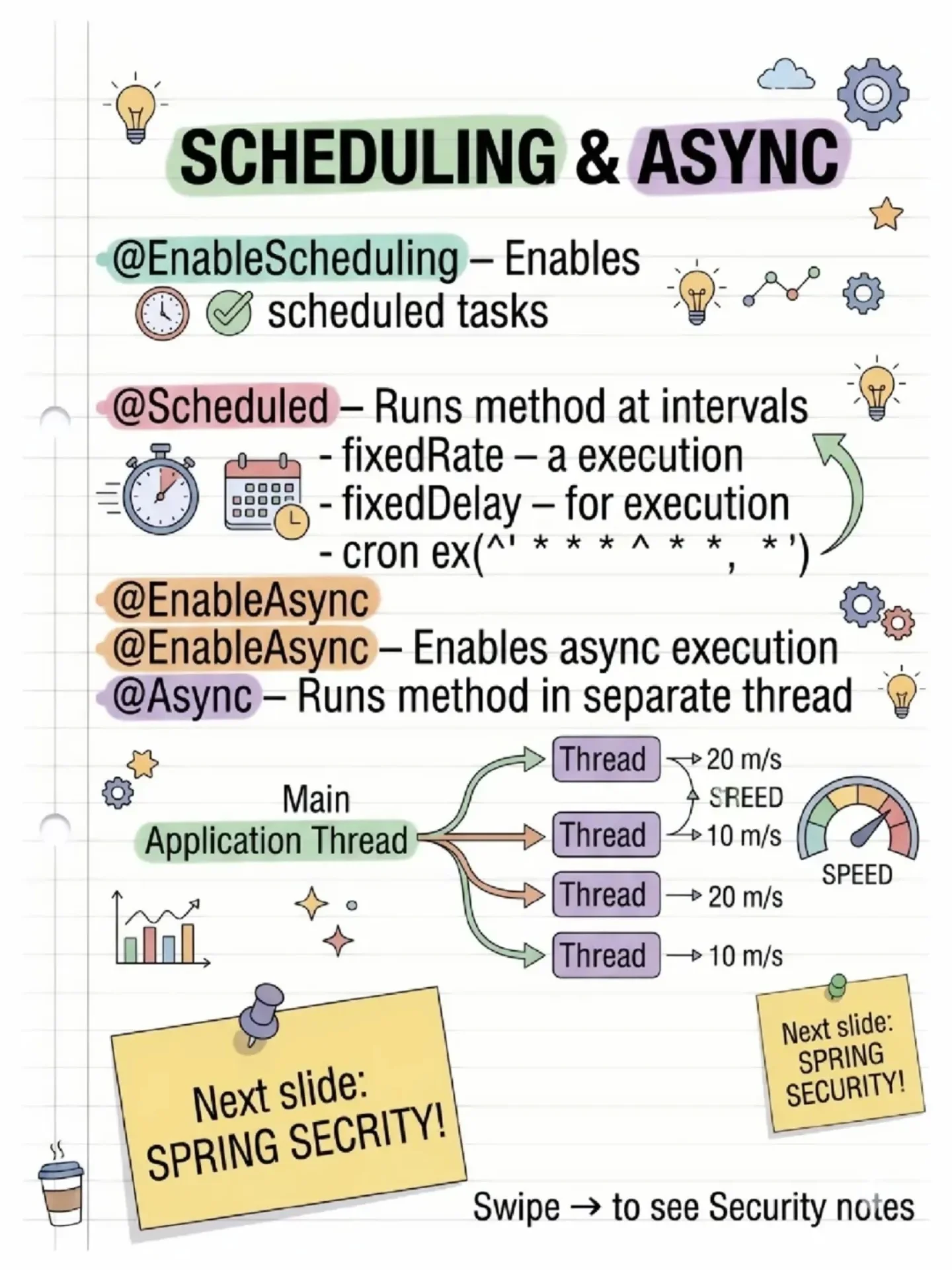
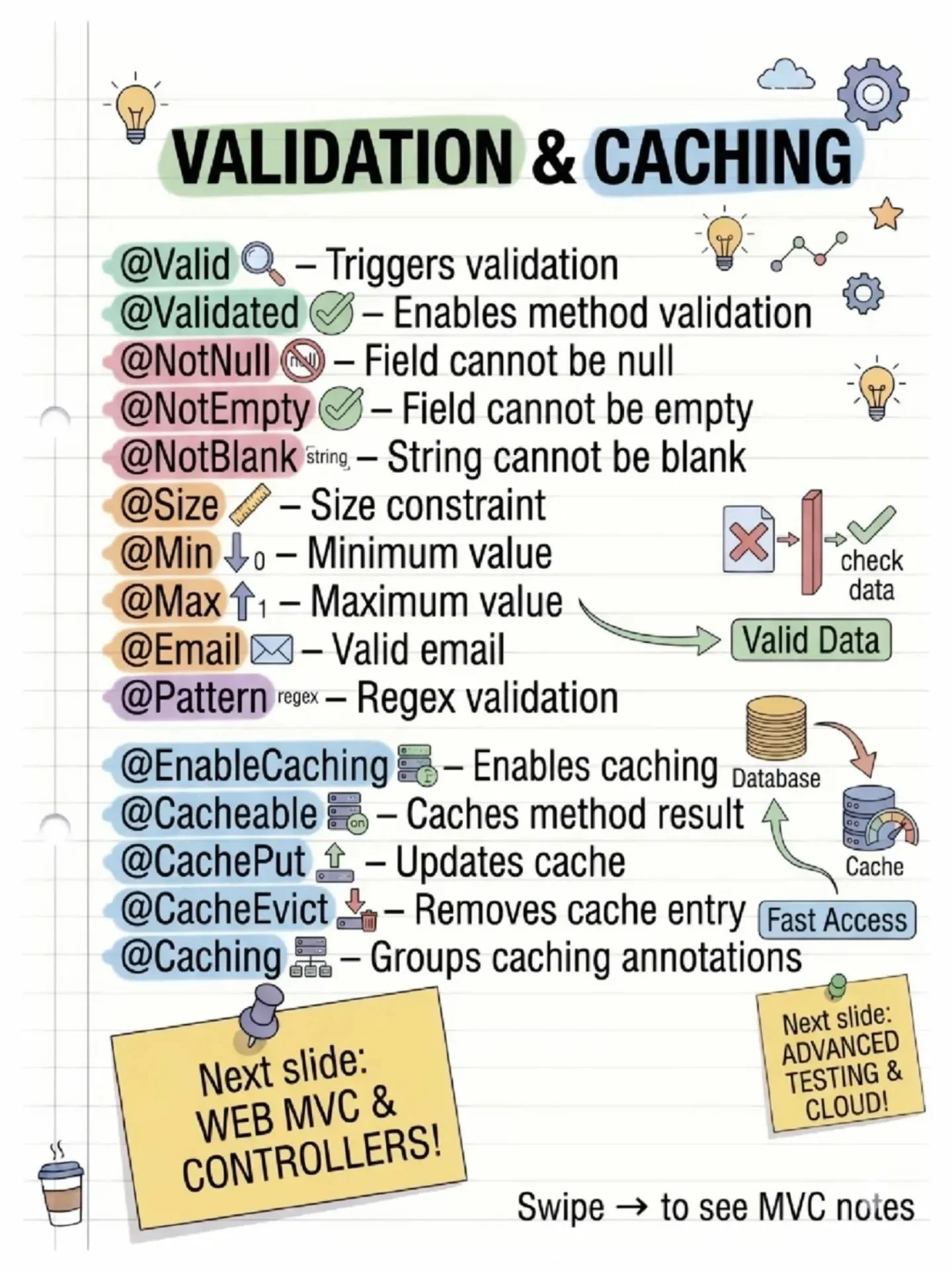
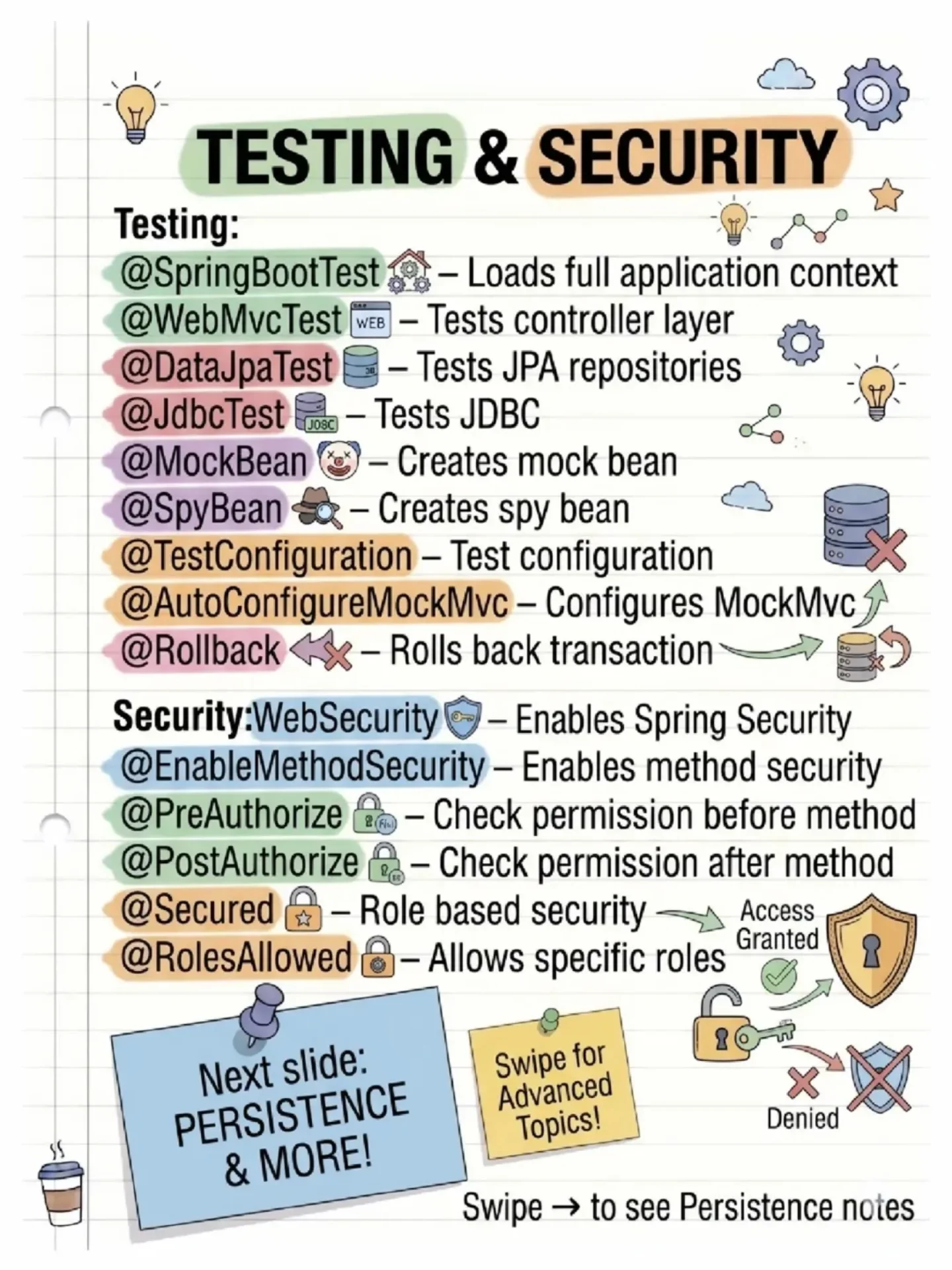
Spring Boot Annotations

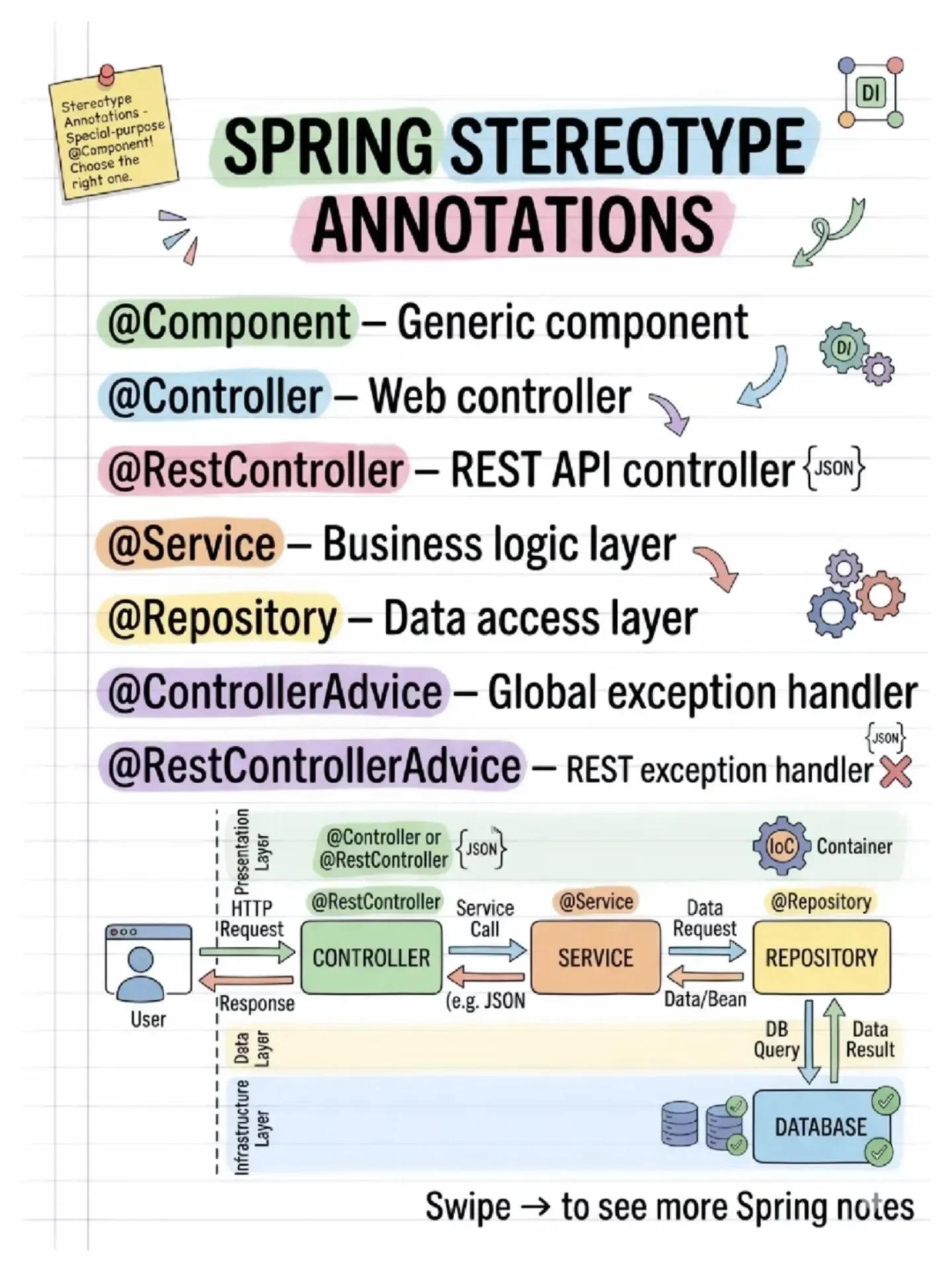
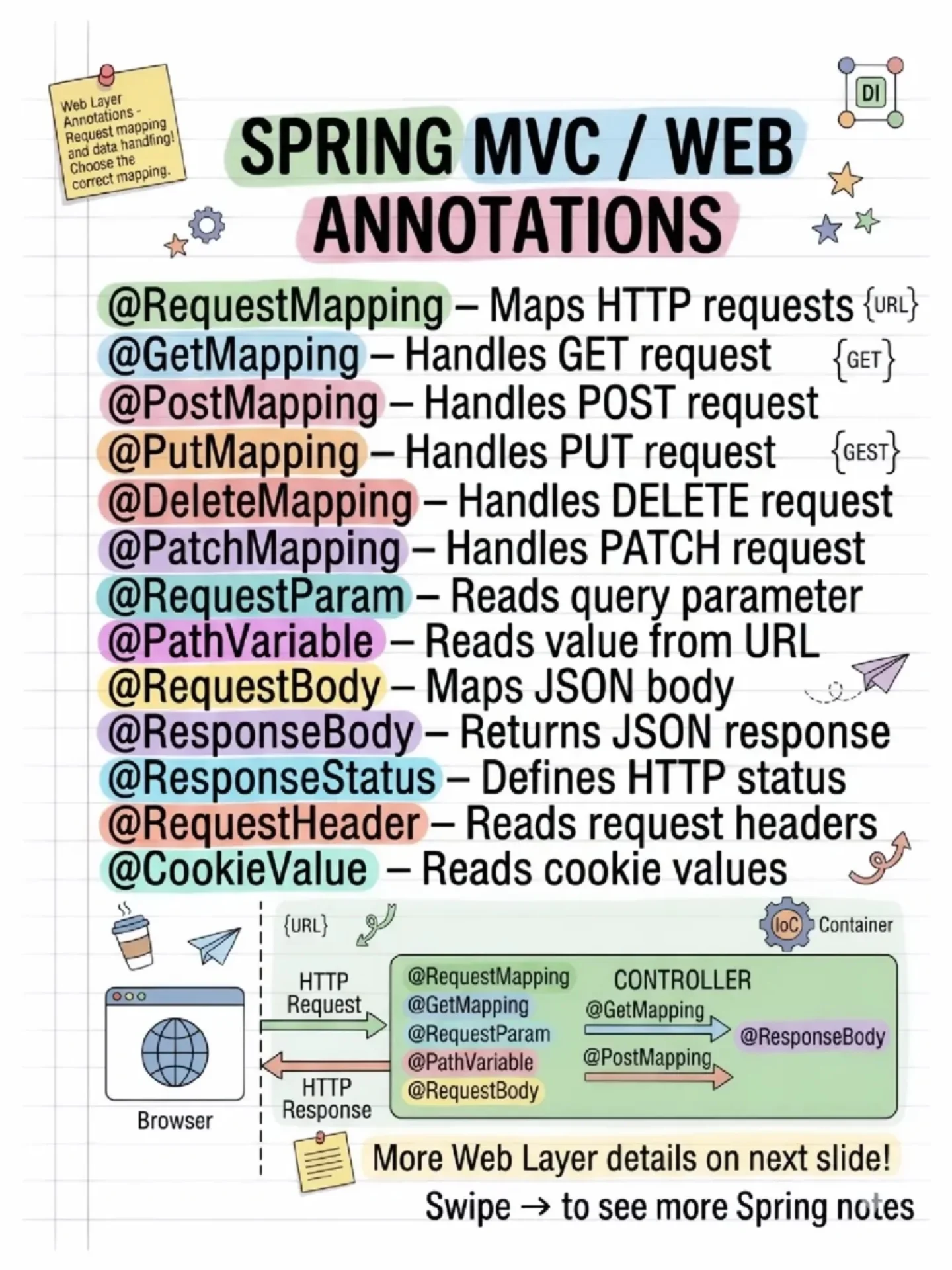
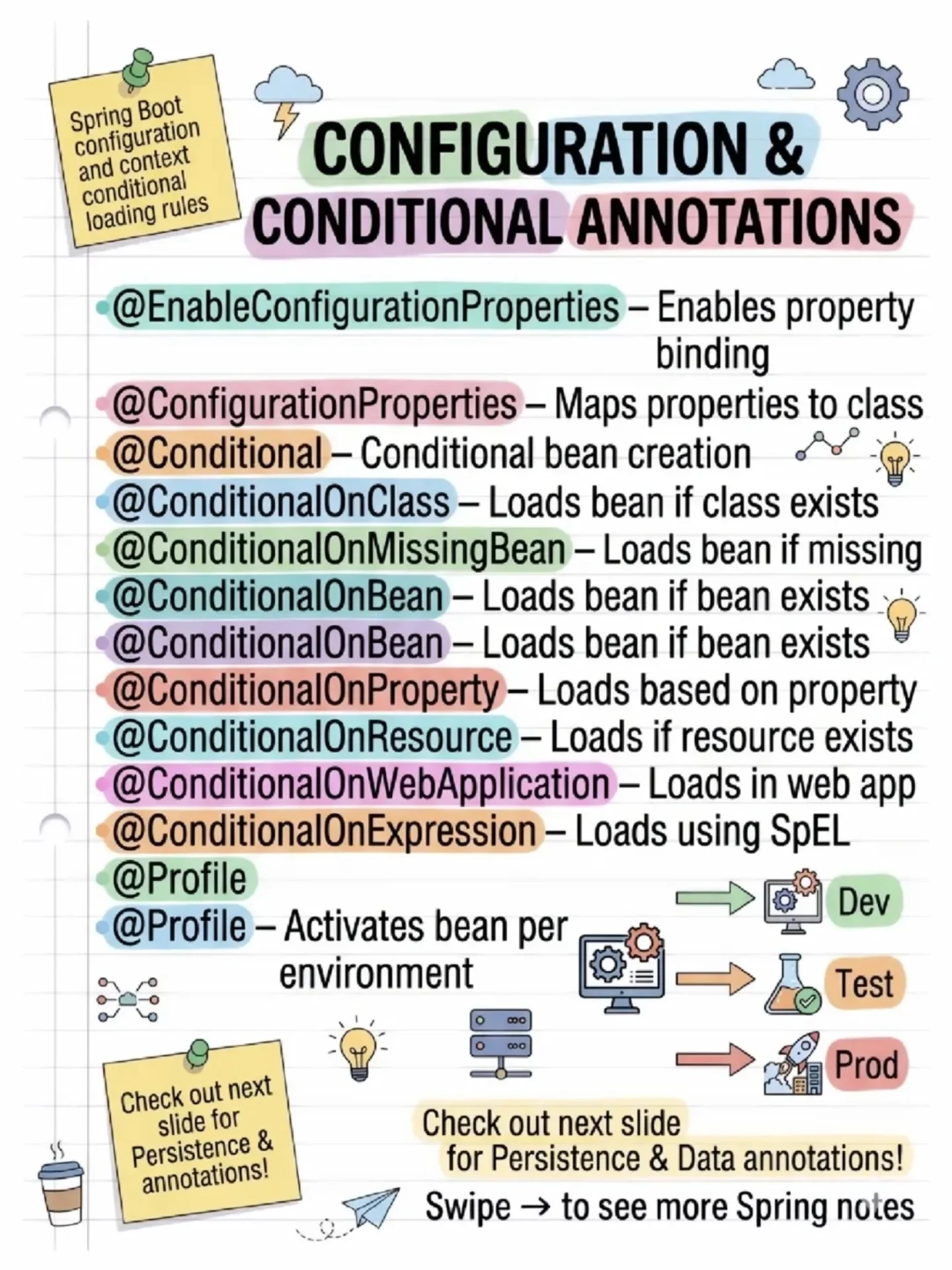
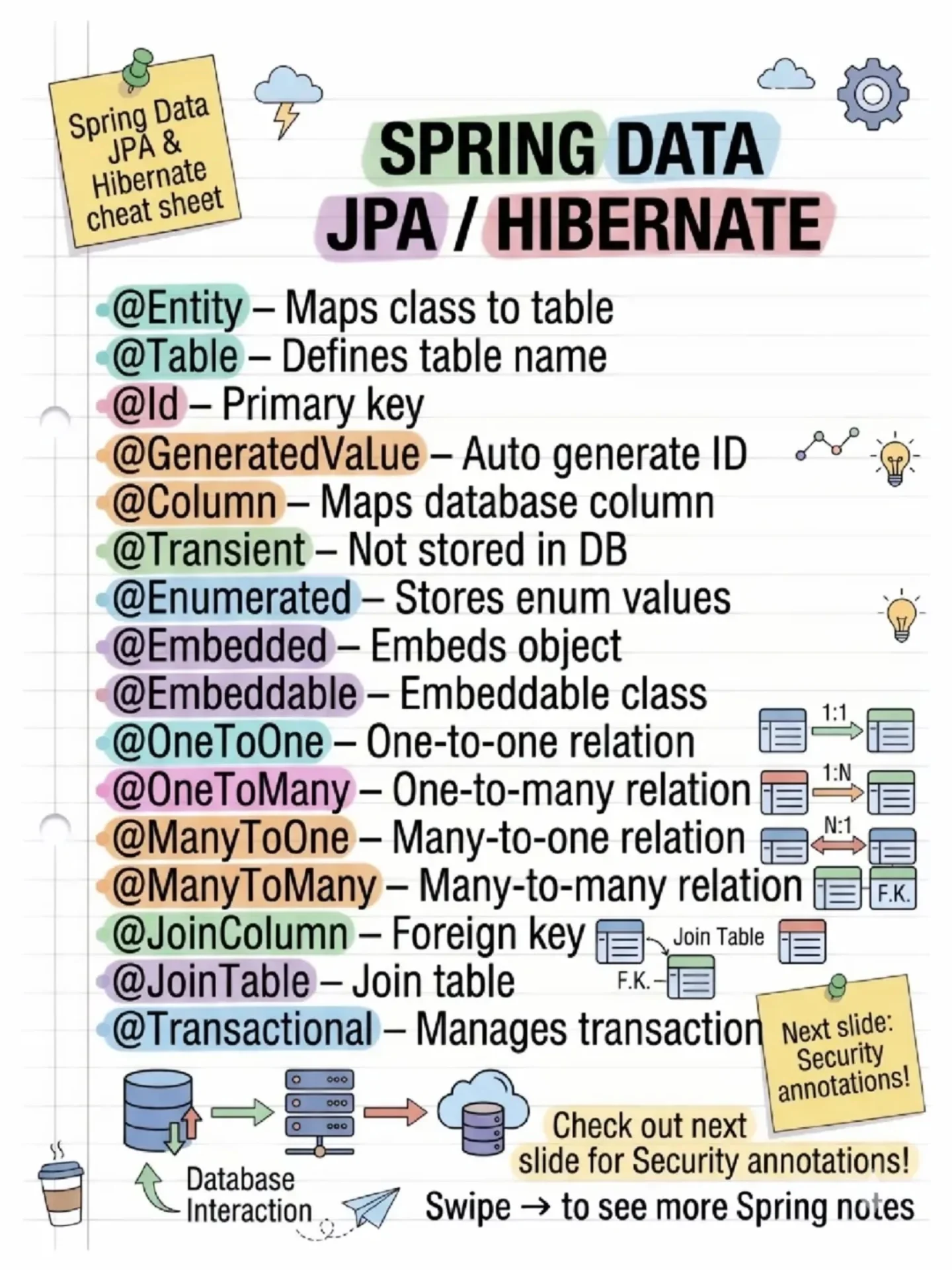
Spring Security Architecture Explained
In today's world of rapidly evolving cybersecurity threats, protecting your application from unauthorized access is paramount.
Spring Security, a powerful and flexible framework, plays a critical role in securing Spring Boot applications.
Whether you're dealing with traditional username/password authentication, JWT tokens, or other custom mechanisms, Spring Security provides the necessary tools to handle authentication and authorization seamlessly.
In this blog, we'll dive into the Spring Security architecture, exploring how various components like the Security Filter Chain, AuthenticationManager, and Authentication Providers work together to secure your application.

1. Client Request
- A user or client makes a request to the application, usually to access a protected resource.
- This request is processed by a chain of Security Filters.
2. Security Filter Chain
- Security Filter A, B, ... N: These are different filters that apply to the incoming request, where each filter can handle specific types of security logic (like CORS, CSRF protection, and more).
- One of these filters is responsible for authenticating the user.
3. Authentication Flow
- UsernamePassword Authentication Token: This token represents the user's credentials (username and password) and is passed to the authentication logic.
- The authentication logic checks if the user credentials are valid. This typically involves checking a database or other identity source.
4. AuthenticationManager / ProviderManager
- The AuthenticationManager or ProviderManager manages the overall authentication process. It delegates the authentication request to different Authentication Providers based on the type of authentication required.
5. Authentication Providers
- JWTAuthentication Provider: If you're using JWT (JSON Web Token) for authentication, this provider handles the verification of JWT tokens.
- DaoAuthentication Provider: This provider handles traditional authentication using a database, checking user credentials against stored data (e.g., in a relational database).
- Other Providers (Authentication Provider N): You can define multiple custom authentication providers if your application supports multiple methods of authentication (e.g., OAuth2, LDAP).
6. UserDetailsService
- The UserDetailsService is responsible for loading user-specific data, typically by looking up the user’s details from a database (using the DaoAuthenticationProvider).
- The PasswordEncoder ensures that passwords are securely encoded (hashed) before they are compared during the authentication process.
7. SecurityContext & JWT Authentication Filter
- If the user is successfully authenticated, the SecurityContext is updated to store the user’s authentication status.
- The JWT Authentication Filter is responsible for handling JWT tokens, ensuring that valid tokens allow access to protected resources.
8. Authentication Request/Response
- Once the authentication is performed by the filters and providers, an Authentication Request is sent to the backend.
- After validation, an Authentication Response is returned, which could contain the authentication token (such as a JWT), allowing the client to access secure resources in subsequent requests.
9. SecurityContextHeader
- The SecurityContextHeader encapsulates important security information like the user’s Principal (authenticated user), Credentials (such as the password or token), and Aut