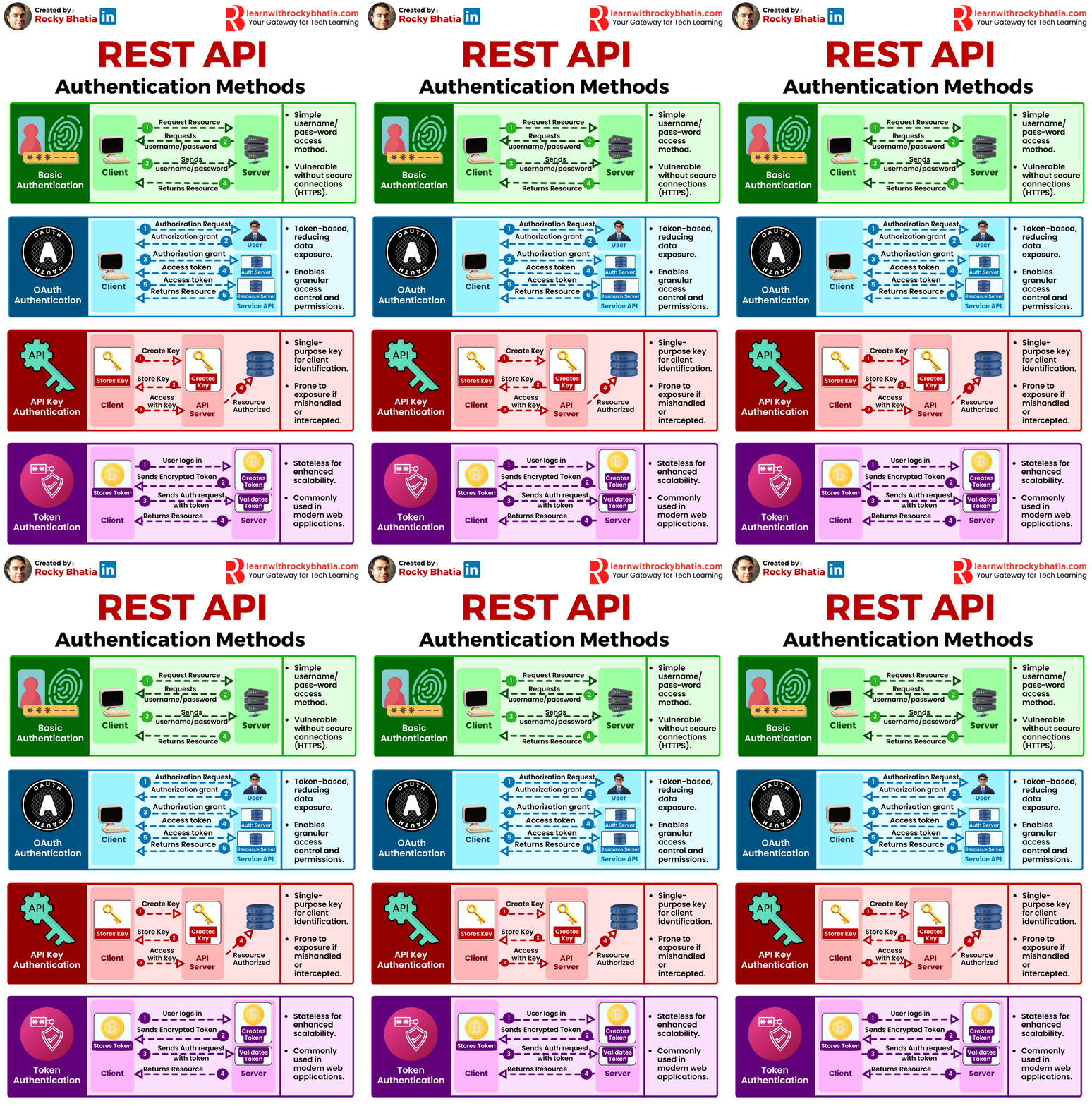
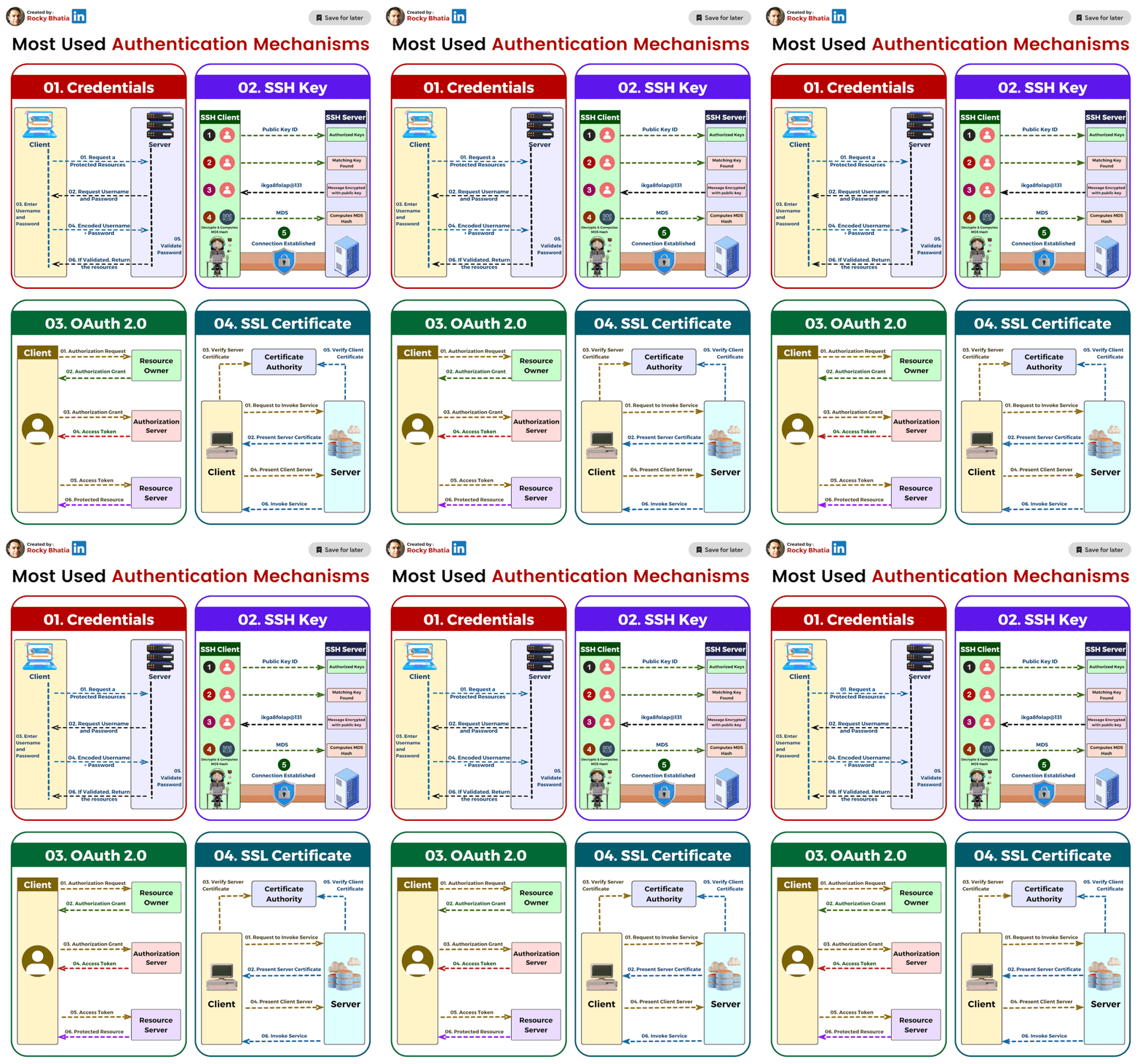
Whether you're building an e-commerce site, a social platform, or an internal dashboard, authentication is your first line of defense. It ensures that only the right users can access the right resources.
Authentication answers a simple but critical question:
“Who are you?”
Over the years, developers have used several mechanisms to implement authentication in web applications. The most common ones include Cookies, Sessions, and JSON Web Tokens (JWTs). Each has its strengths, weaknesses, and ideal use cases.
Let’s break them down one by one.
1 – Cookies and Sessions: The Traditional Duo
Here’s a view of a simple cookie-based authentication and how it works.

However, when you hear about cookie-based authentication, most of the time it refers to session-based authentication under the hood.
Here’s how it works:
- When a user logs in, the server creates a session in memory (or a database) and stores some information about the user, like user ID, role, etc.
- The server generates a unique session ID and sends it to the client in the form of a cookie.
- For every subsequent request, the client automatically sends this cookie, and the server uses it to retrieve the corresponding session data.
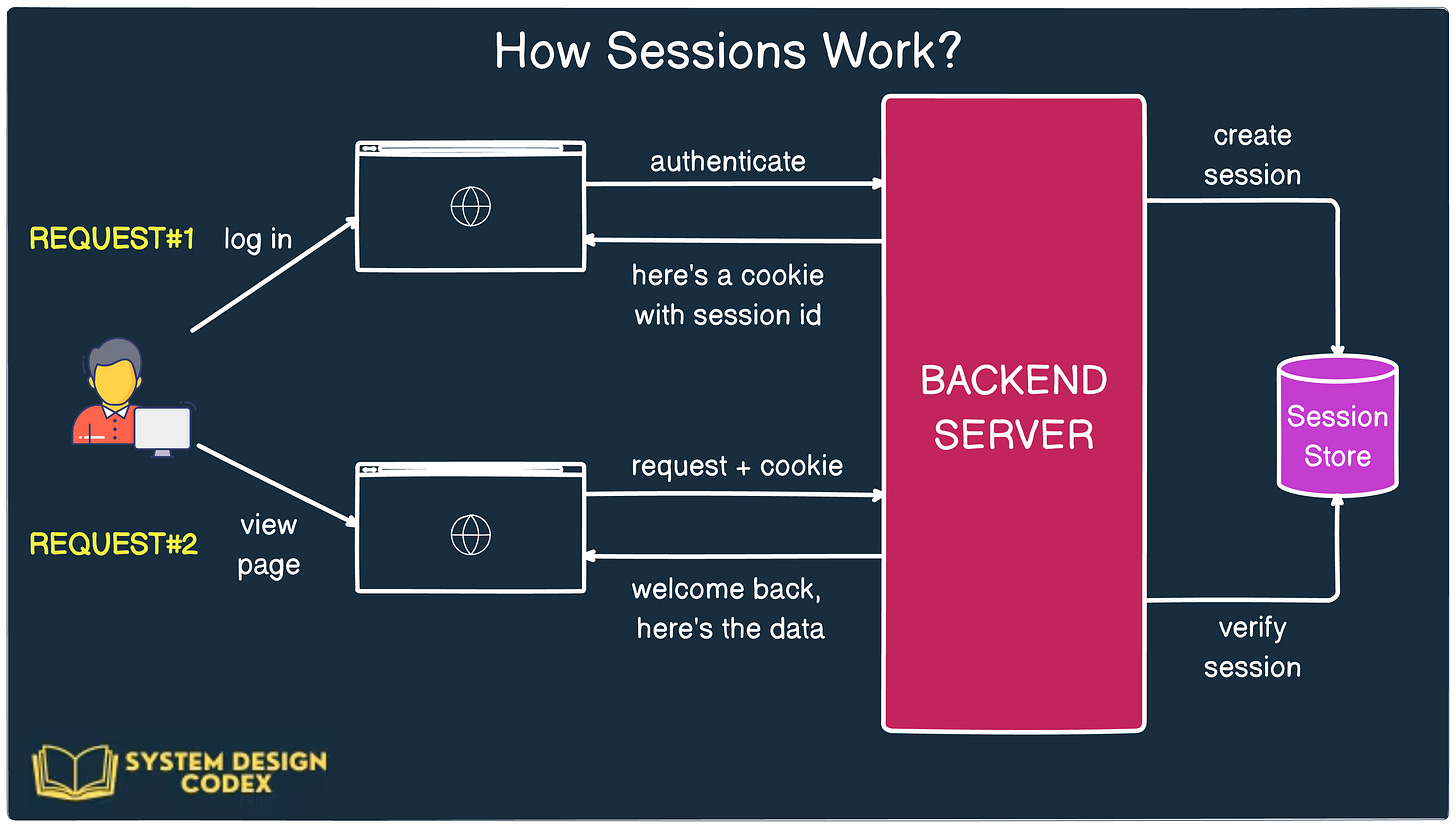
This approach keeps the actual user data on the server, ensuring that sensitive information isn’t exposed to the client.
Benefits of Cookies and Sessions:
* Security: Since data is stored on the server, it’s not exposed to the client.
* Control: The server can invalidate a session at any time (e.g., logout or session timeout).
* Familiarity: Well-supported by most web frameworks and browsers.
Challenges:
* Scalability: In a distributed system, maintaining sessions becomes tricky. You need to synchronize session data across servers or use centralized storage like Redis.
* Statefulness: Sessions are inherently stateful, meaning the server needs to remember session data, which can lead to overhead at scale.
This model works well for monolithic or tightly controlled applications, especially those running on a single server or behind a load balancer with sticky sessions.
### 2 – JWT (JSON Web Token): The Stateless Way
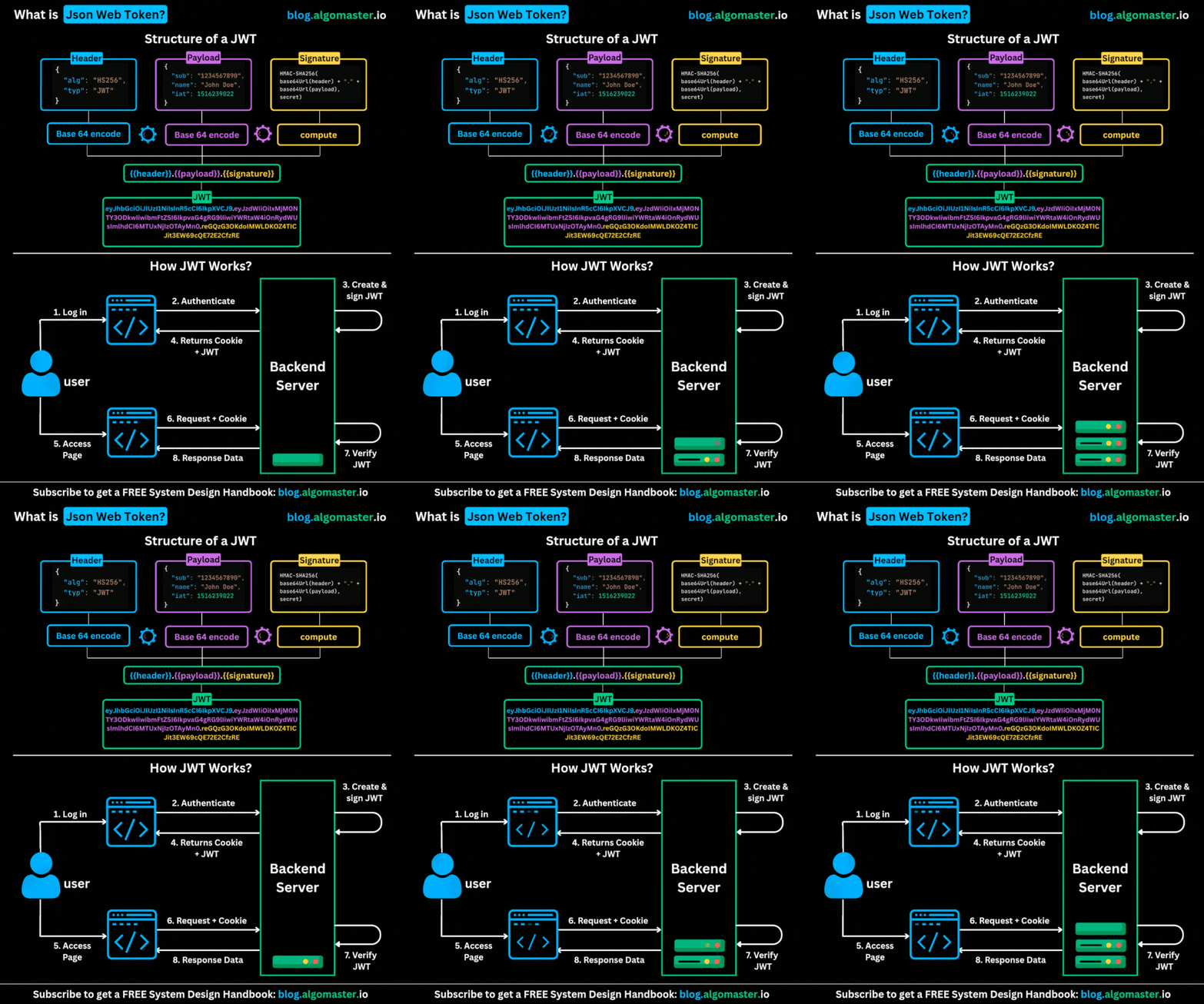
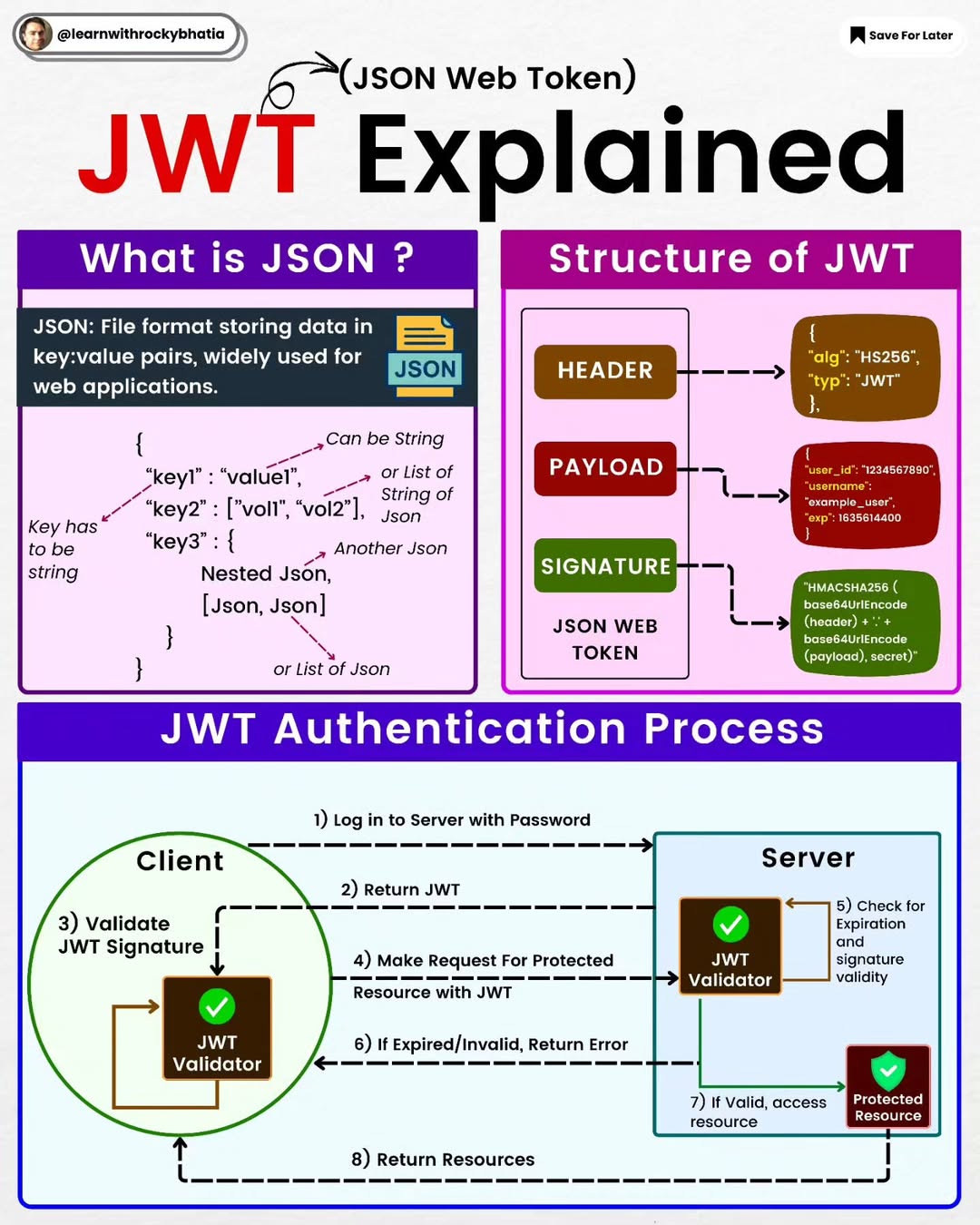
JWT is a stateless authentication mechanism. It solves the scalability issue by pushing all the authentication data onto the client in a digitally signed token.
 Here’s how it works:
* When the user logs in, the server generates a JWT, which contains all necessary user data (like ID, email, and roles).
* This token is signed using a secret key and sent to the client (usually stored in localStorage or a cookie).
* Every future request includes the token (often in an
Here’s how it works:
* When the user logs in, the server generates a JWT, which contains all necessary user data (like ID, email, and roles).
* This token is signed using a secret key and sent to the client (usually stored in localStorage or a cookie).
* Every future request includes the token (often in an Authorization header).
* The server verifies the signature, reads the claims (payload), and processes the request.

Unlike sessions, the server does not need to store any user data—it just verifies the token on each request.
Benefits of JWTs:
* Stateless and scalable: Ideal for microservices and distributed systems where central session storage is a bottleneck.
* Portable: JWTs can be easily passed between services, APIs, and third-party systems.
* Self-contained: All the data is within the token, including expiration and role claims.
Challenges:
* Security: If a JWT is stolen, it can be reused until it expires. You cannot easily revoke it unless you implement additional checks (like a token blacklist or short expiration + refresh token model).
* Token Bloat: JWTs can get large, especially with many claims. This increases network payload size.
* Expiration Management: Once issued, the token is valid until it expires. You need to design a refresh mechanism to renew it securely.
JWTs are a natural fit for SPAs (Single Page Applications), mobile apps, or distributed systems where central state management is difficult.
### Best Practices for Any Authentication System
Regardless of the mechanism you choose, keep these practices in mind:
* Use HTTPS to prevent token or cookie interception.
* Set HttpOnly and Secure flags on cookies to reduce XSS risk.
* For JWTs, keep the payload small and avoid storing sensitive information.
* Use refresh tokens with short-lived access tokens.
* Consider logout/invalidation strategies, especially for JWTs.
* Rate limit login endpoints to prevent brute-force attacks.
#Cookies #Sessions #JWT #Authentication