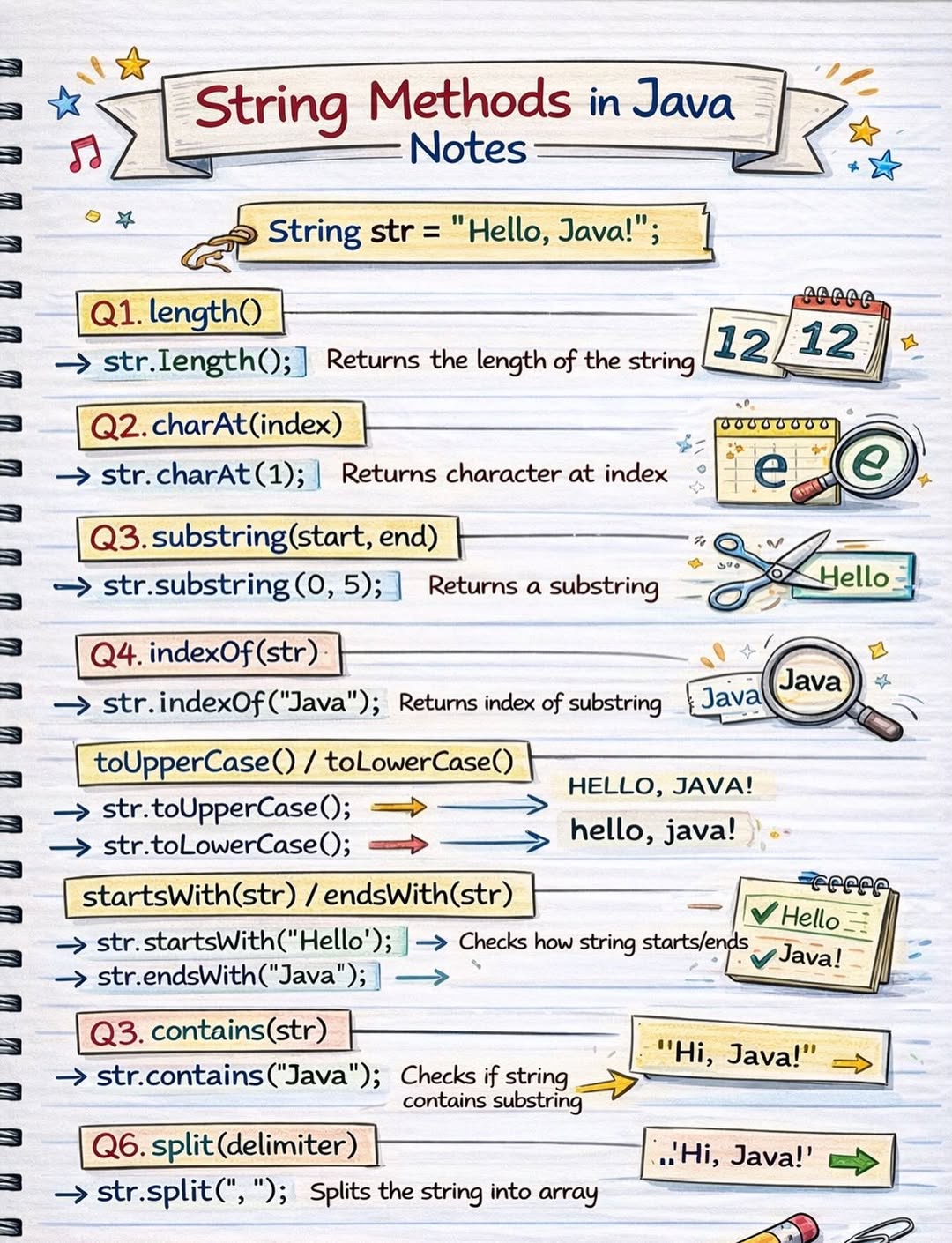
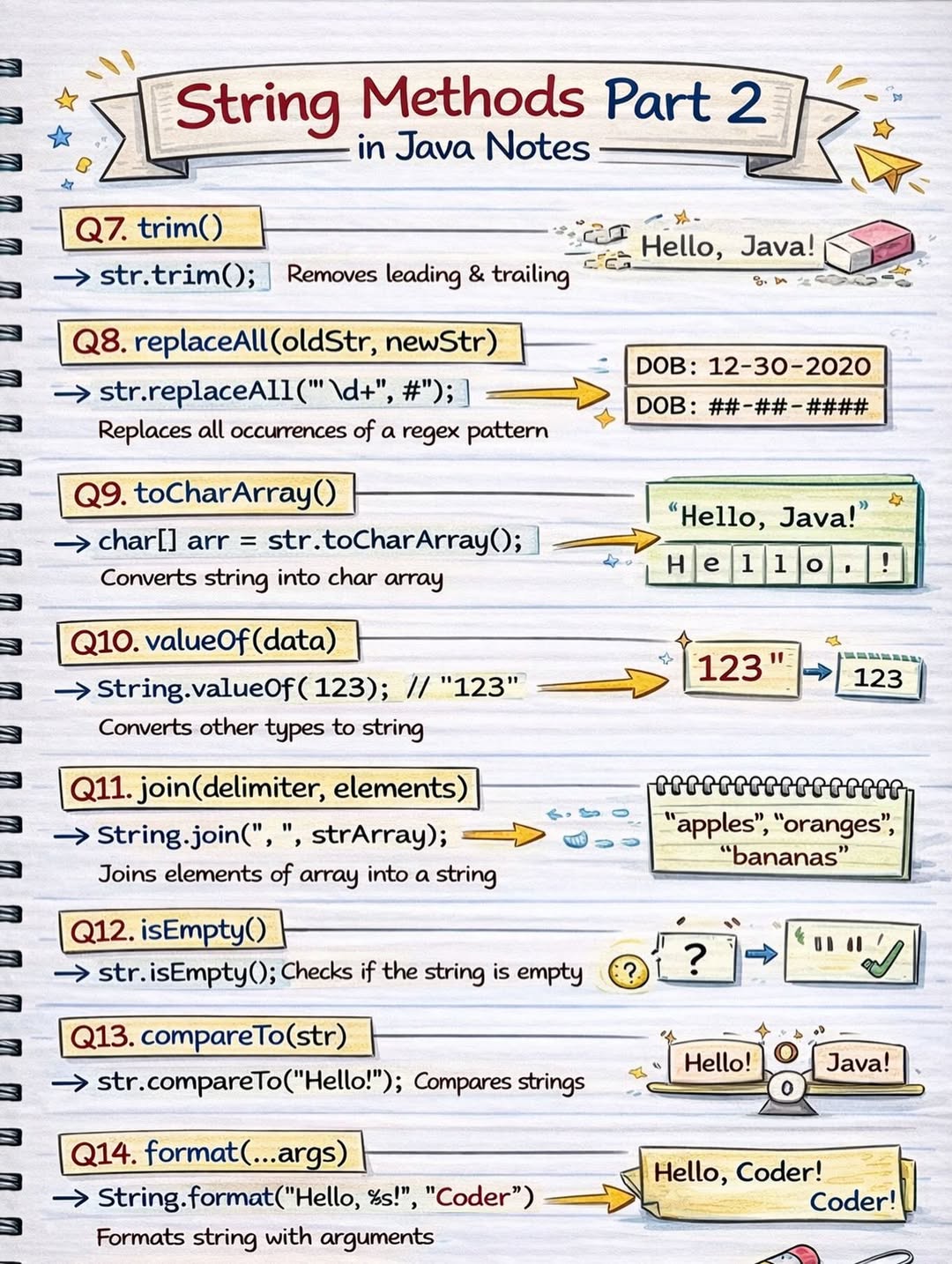
In Java, a String is an object that represents a sequence of characters. Strings are instances of the String class, and double quotes (“ “) are used to define string values.
One important thing to remember is that Strings in Java are immutable, which means their values cannot be changed once they are created. Any modification to a string actually creates a new object.
Java provides many built-in String methods that make it easy to perform common operations such as concatenation, comparison, searching, and manipulation. These methods help developers work efficiently with text data in real-world applications.
In this article, we will explore the most important and commonly used Java String methods, along with clear examples to help you understand how they work.
A String object can be created in two ways:
String str = "Hello Java";
2. Using the new Keyword: Creating a string using the String class
String str = new String("Hello Java");
public class StringClass{
    public static void main(String[] args) {
        String str = "Hello Java";

        System.out.println("Length: " + str.length());
        System.out.println("Uppercase: " + str.toUpperCase());
        System.out.println("Substring: " + str.substring(2, 6));
    }
}
Java provides a rich set of String methods that help perform operations such as comparison, searching, and modification of strings. Let’s understand some of the most commonly used methods one by one.
The indexOf() method is used to find the position of a character or substring in a string. It returns the index of the first occurrence of the specified character or substring. If the character/substring is not found, it returns -1.
Syntax of indexOf()
public int indexOf(String str, int fromIndex)
Example
public class FirstOccurrence {
    public static void main(String[] args) {
        String str = "Hello, World!";
        // Find first occurrence of 'l' from index 4
        int index = str.indexOf('l', 4);
        System.out.println("Index: " + index); // Output: 9
    }
}
The toCharArray() method converts a string into a character array.
Syntax of toCharArray()
public char[] toCharArray()
Example
public class StringToCharArrayExample {
    public static void main(String[] args) {
        String str = "Hello";
        // Convert string to char array
        char[] chars = str.toCharArray();

        // Print each character
        for (char c : chars) {
            System.out.print(c + " ");
        }
    }
}
The equals() method compares two strings for equality. It checks if the content of the strings is the same.
Syntax
public boolean equals(Object otherObj)
Example
public class StringEqualsExample {
    public static void main(String[] args) {
        String s = "Hello, World!";
        // Compare strings using equals()
        boolean result = s.equals("Hello, World!");
        System.out.println(result); // Output: true
    }
}
The charAt() method is used to find the character at a specific index in a string.
Syntax
public char charAt(int index)
Example
public class CharAtExample {
    public static void main(String[] args) {
        String s = "Hello, World!";

        // Get character at index 7
        char ch = s.charAt(7);
        System.out.println(ch); // Output: W
    }
}
The concat() method is used to append one string to the end of another string.
Syntax
public String concat(String str)
Example
public class ConcatExample {
    public static void main(String[] args) {
        String s = "Sunil ";

        // Append another string
        String result = s.concat("Mishra");
        System.out.println(result); // Output: Sunil Mishra
    }
}
The replace() method is used to replace characters or substrings in a string.
Syntax
// Replace characters
public String replace(char oldChar, char newChar)

// Replace substrings
public String replace(CharSequence target, CharSequence replacement)
Example
public class ReplaceExample {
    public static void main(String[] args) {
        String s = "Hello, World!";

        // Replace 'l' with 'x'
        String result = s.replace('l', 'x');
        System.out.println(result); // Output: Hexxo, Worxd!
    }
}
The substring() method is used to extract a portion of a string from the original string.
Syntax
public String substring(int beginIndex, int endIndex)
public String substring(int beginIndex) // Extracts till end of string
Example
public class SubstringExample {
    public static void main(String[] args) {
        String s = "Hello, World!";

        // Extract substring from index 7 to 12 (exclusive)
        String part = s.substring(7, 12);
        System.out.println(part); // Output: World
    }
}
The split() method breaks a string into parts based on a given regular expression. It returns an array of strings, not a char array.
Syntax
public String[] split(String regex)          // Split using regex
public String[] split(String regex, int limit) // Split with limit on number of results
Example
public class SplitExample {
    public static void main(String[] args) {
        String s = "apple,banana,orange";

        // Split string by comma
        String[] fruits = s.split(",");

        // Print each element
        for (String fruit : fruits) {
            System.out.println(fruit);
        }
    }
}
The compareTo() method compares two strings lexicographically (like in a dictionary) and returns an integer:
Syntax
public int compareTo(String anotherString)
Example
public class CompareToExample {
    public static void main(String[] args) {
        String s1 = "Hello, World!";
        String s2 = "Hello, Java!";

        // Compare s1 with s2
        int result = s1.compareTo(s2);
        System.out.println(result); // Output: positive number
    }
}
The strip() method removes all leading and trailing whitespace characters from a string.
Syntax
public String strip()
Example
public class StripExample {
    public static void main(String[] args) {
        String s = "   Hello, World!   ";

        // Remove leading and trailing spaces
        String result = s.strip();
        System.out.println("Original: '" + s + "'");
        System.out.println("After strip(): '" + result + "'");
    }
}
The valueOf() method returns the string representation of the passed argument. It can convert different types like char, int, boolean, double, char[], and even objects into strings.
Syntax
public static String valueOf(char[] data)
public static String valueOf(int i)
public static String valueOf(boolean b)
public static String valueOf(Object obj)
Example
public class ValueOfExample {
    public static void main(String[] args) {
        char[] chars = {'H', 'e', 'l', 'l', 'o'};

        // Convert char array to string
        String s = String.valueOf(chars);
        System.out.println(s); // Output: Hello
    }
}
The length() method returns the total number of characters in a string, including letters, numbers, spaces, and special characters.
Syntax
public int length()
Example
public class LengthExample {
    public static void main(String[] args) {
        String s = "Hello, Sunil!";

        // Get the length of the string
        int len = s.length();
        System.out.println("Length: " + len);
    }
}
The contains() method checks whether a string contains a specified sequence of characters (another string). It returns true if the sequence is found, and false otherwise.
Syntax
public boolean contains(CharSequence sequence)
Example
public class ContainsExample {
    public static void main(String[] args) {
        String s = "Hello, World!";

        // Check if string contains "World"
        boolean result = s.contains("World");
        System.out.println(result); // Output: true
    }
}
The startsWith() method checks whether a string begins with the specified prefix. It returns true if the string starts with that prefix, and false otherwise.
Syntax
public boolean startsWith(String prefix)
public boolean startsWith(String prefix, int toffset)
Example
public class StartsWithExample {
    public static void main(String[] args) {
        String s = "Hello, World!";

        // Check if string starts with "Hello"
        boolean result = s.startsWith("Hello");
        System.out.println(result); // Output: true

        // Check from index 7
        boolean result2 = s.startsWith("World", 7);
        System.out.println(result2); // Output: true
    }
}
The toLowerCase() method converts all characters in a string to lowercase.
Syntax
public String toLowerCase()
Example
public class ToLowerCaseExample {
    public static void main(String[] args) {
        String s = "Hello, World!";

        // Convert string to lowercase
        String lower = s.toLowerCase();
        System.out.println(lower); // Output: hello, world!
    }
}