Master Template for Web App Architecture
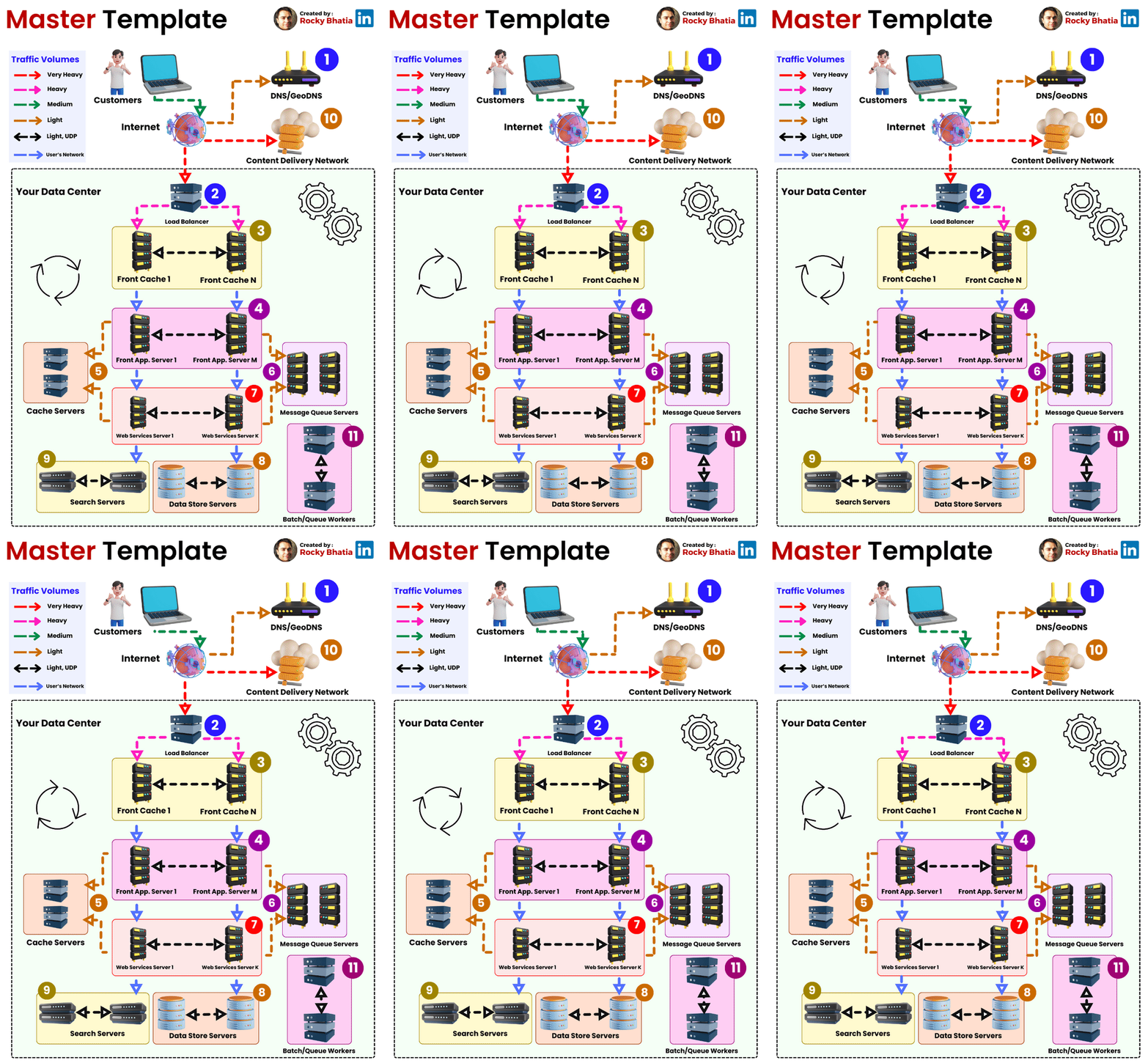
#systemdesign #webapplication #template
𝐌𝐚𝐬𝐭𝐞𝐫 𝐭𝐞𝐦𝐩𝐥𝐚𝐭𝐞 𝐟𝐨𝐫 𝐛𝐮𝐢𝐥𝐝𝐢𝐧𝐠 𝐚𝐧𝐲 𝐰𝐞𝐛 𝐚𝐩𝐩𝐥𝐢𝐜𝐚𝐭𝐢𝐨𝐧 𝐚𝐫𝐜𝐡𝐢𝐭𝐞𝐜𝐭𝐮𝐫𝐞
1. Customers: End users who interact with the web application.
2. DNS (Domain Name System): Translates domain names into IP addresses.
3. Load Balancer: Distributes traffic across multiple servers for improved performance and availability.
4. Cache: Stores frequently accessed data for faster retrieval and reduced backend load.
5. Front-end: The user interface responsible for rendering, user input handling, and backend communication.
6. Message Queue: Manages asynchronous communication and tasks between front-end and back-end.
7. Back-end (Web Services): Contains business logic and handles user requests and data interactions.
8. Data Store: Stores and retrieves application data, including databases or other data storage systems.
9. Search Engine: Performs complex searches on large data sets efficiently (e.g., Elasticsearch).
10. CDN (Content Delivery Network): Distributes static assets for faster page loading and improved user experience.
11. Queue Workers: Process tasks from message queues, offloading resource-intensive operations.
These components work together to create a web application architecture that delivers a responsive and seamless user experience. The choice and configuration of these components depend on the specific requirements and goals of the application.
