Linux: Files & System
How Linux Works
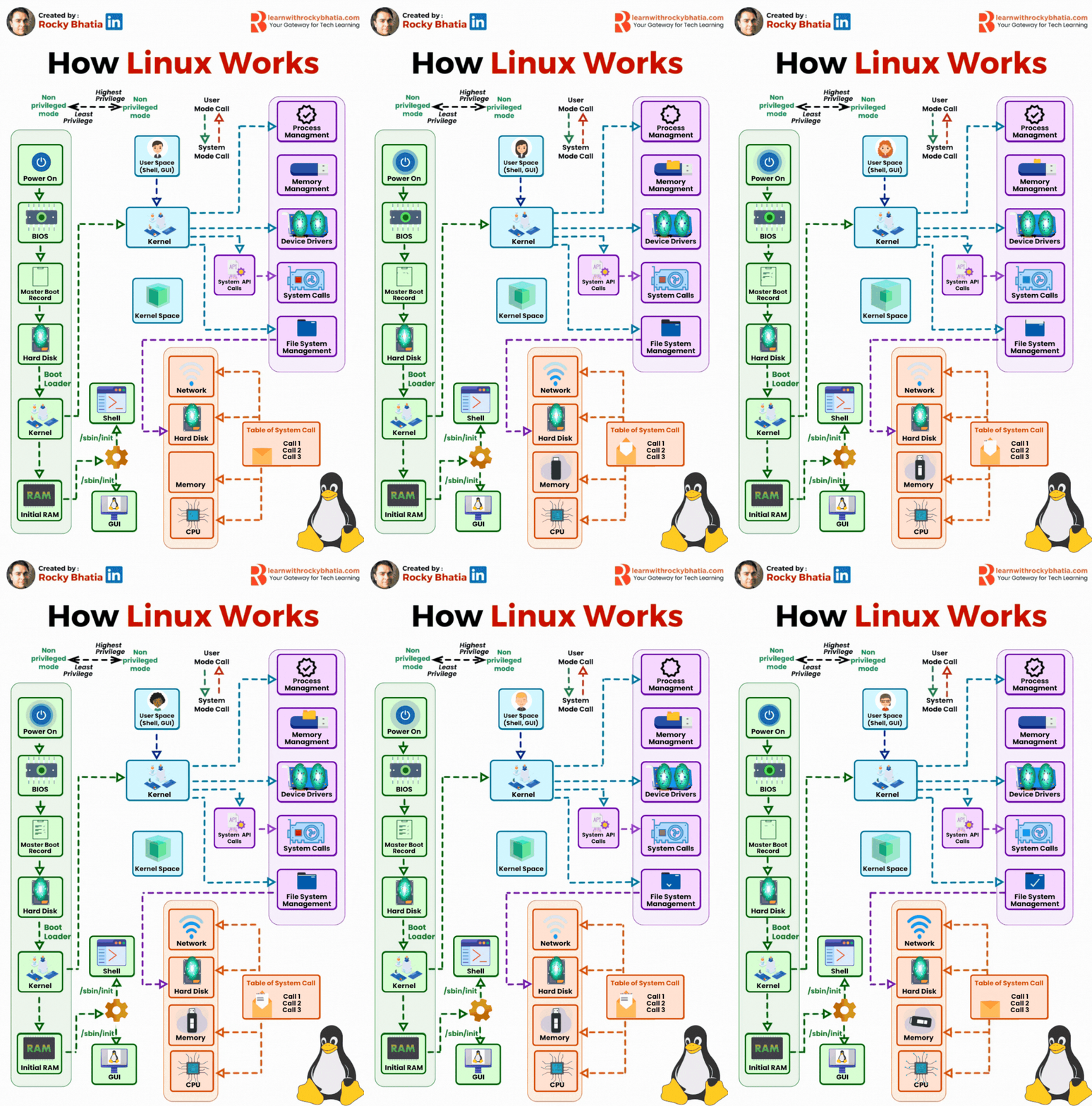
Embark on a journey through the intricate workings of a Linux system, from the moment you hit the power button to the seamless execution of your commands and programs. Dive into the orchestration between user interaction and kernel management that powers every aspect of your computing experience.
Power On: Your journey starts with the push of that power button. The system comes to life, and the BIOS (Basic Input/Output System) kicks in, ensuring your hardware is in top shape.
Master Boot Record: BIOS hands over control to the MBR on your hard disk, which then directs the boot loader to its designated spot.
Boot loader: Picture the boot loader as the conductor, signaling for the kernel to take the stage.
4️⃣ Kernel: Ah, the kernel – Linux's heart and soul. It acts as the liaison between your hardware and the tasks you want to perform.
5️⃣ Initial RAM: The kernel settles into memory, and the system initializes with '/sbin/init' at the helm.
6️⃣ User Space: Now you're in control, with the shell and GUI ready to take your commands.
🔁 Cycle of Operation: - User Mode: You interact with the system, requesting programs or commands to run. - System Mode: When tasks require more privilege, like hardware access, the kernel intervenes, managing requests securely.
🛠️ Kernel's Toolbox: - Process Management: Handling the multitude of tasks you've got going. - Memory Management: Allocating space for your applications and data. - Device Drivers: Communicating with your hardware, from mouse to USB drive. - System Calls: Special requests made by programs. - File System Management: Organizing and storing your files securely.
🧠 Brain of the Operation: The kernel communicates with CPU, memory, disk, and network to ensure smooth execution of your commands and programs.